Abstract Submission
Abstract Submission
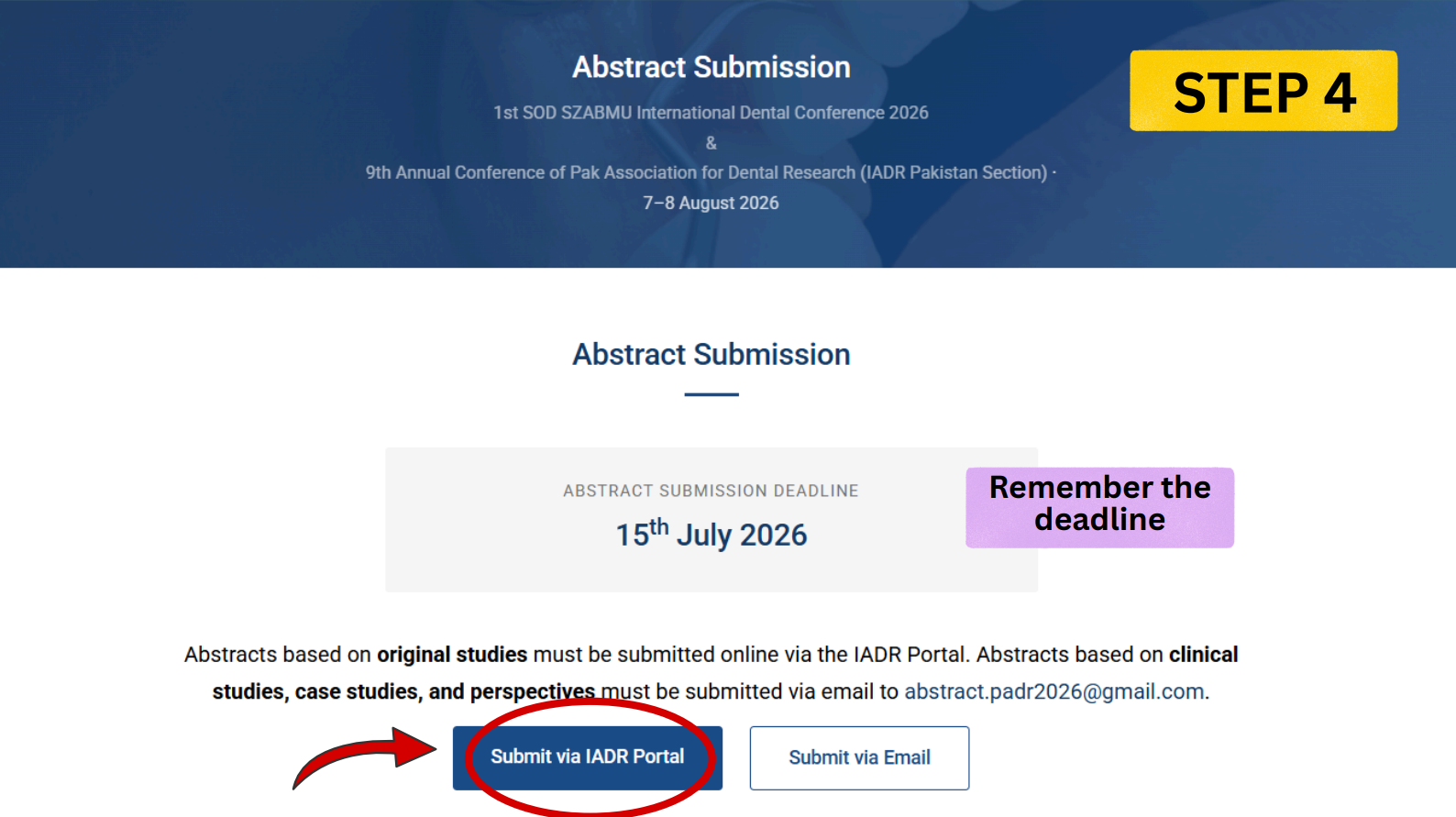
Abstracts based on original studies must be submitted online via the IADR Portal. Abstracts based on clinical studies, case studies, and perspectives must be submitted via email to abstract.padr2026@gmail.com.
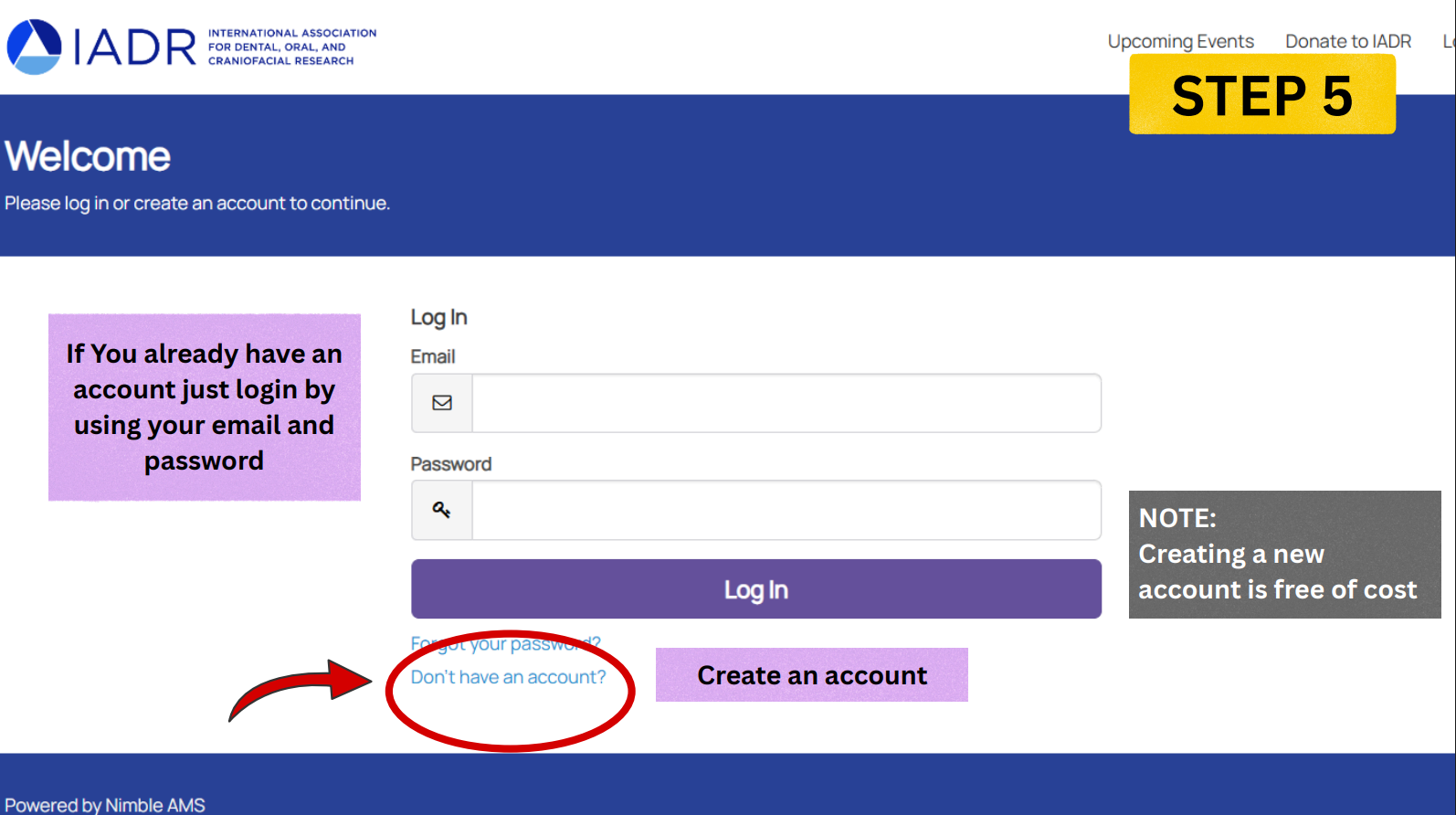
- Please create an account before submitting. Non-IADR members can create an account free of charge.
- A participant may submit only one abstract as presenting author but may be a co-author on multiple abstracts.
- Submissions must be original research, within a strict 300-word limit, and structured under: Objectives, Methods, Results, and Conclusions.
- Abstract title must not exceed 10 words.
- The presenting author must obtain approval from all co-authors prior to submission and will act as the corresponding author.
- All research must comply with the Declaration of Helsinki and have IRB clearance.
- The presenting author must register and pay for the conference by the pre-registration deadline.
- Poster presentation format will be notified via email. Please use the same email address for registration and abstract submission.
- All correspondence will be through email — please provide a valid email address.
Step-by-Step Submission Guide
Follow this detailed visual guide to complete your account registration and abstract upload on the IADR portal.
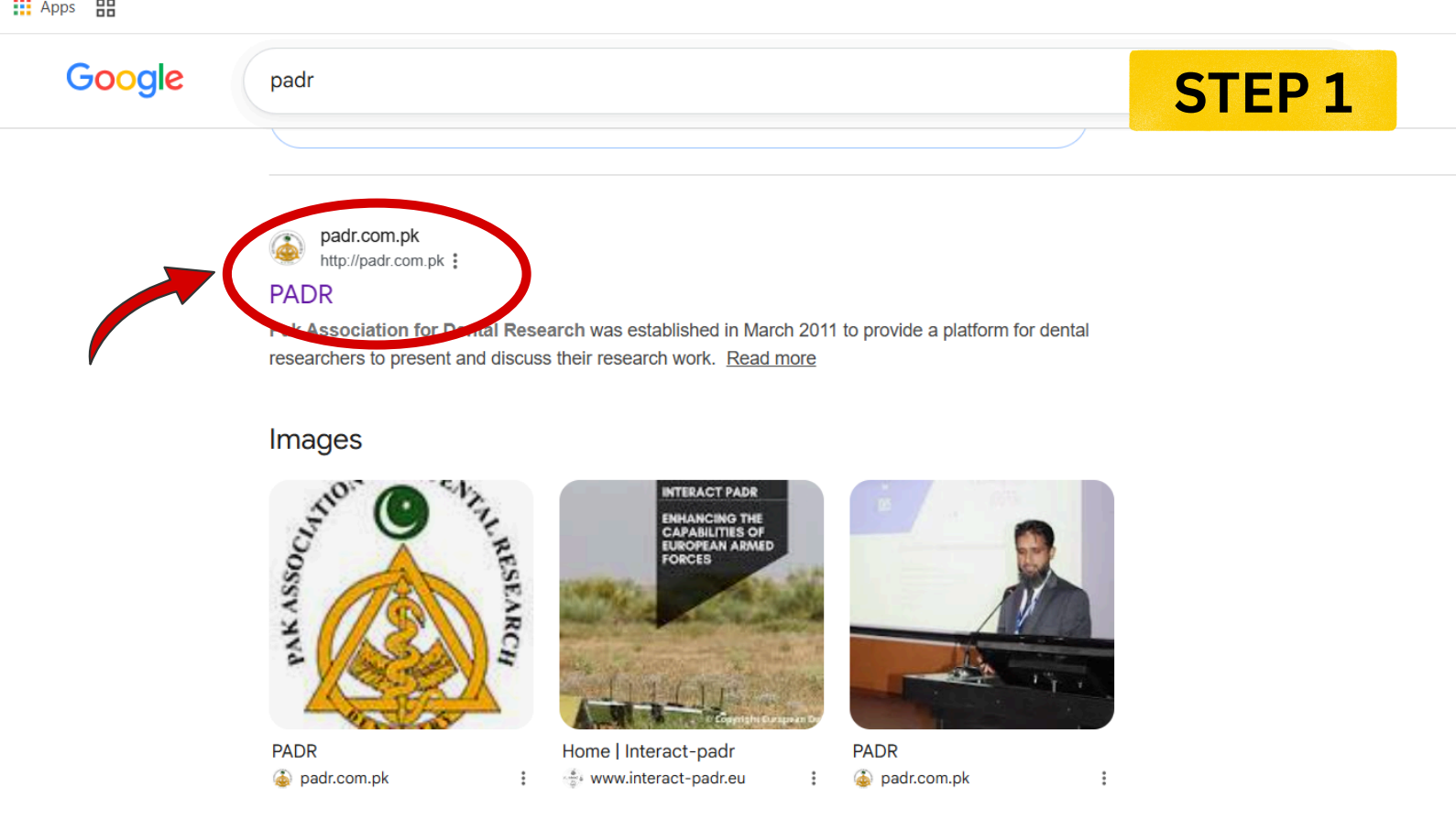
Navigate to Conference Details
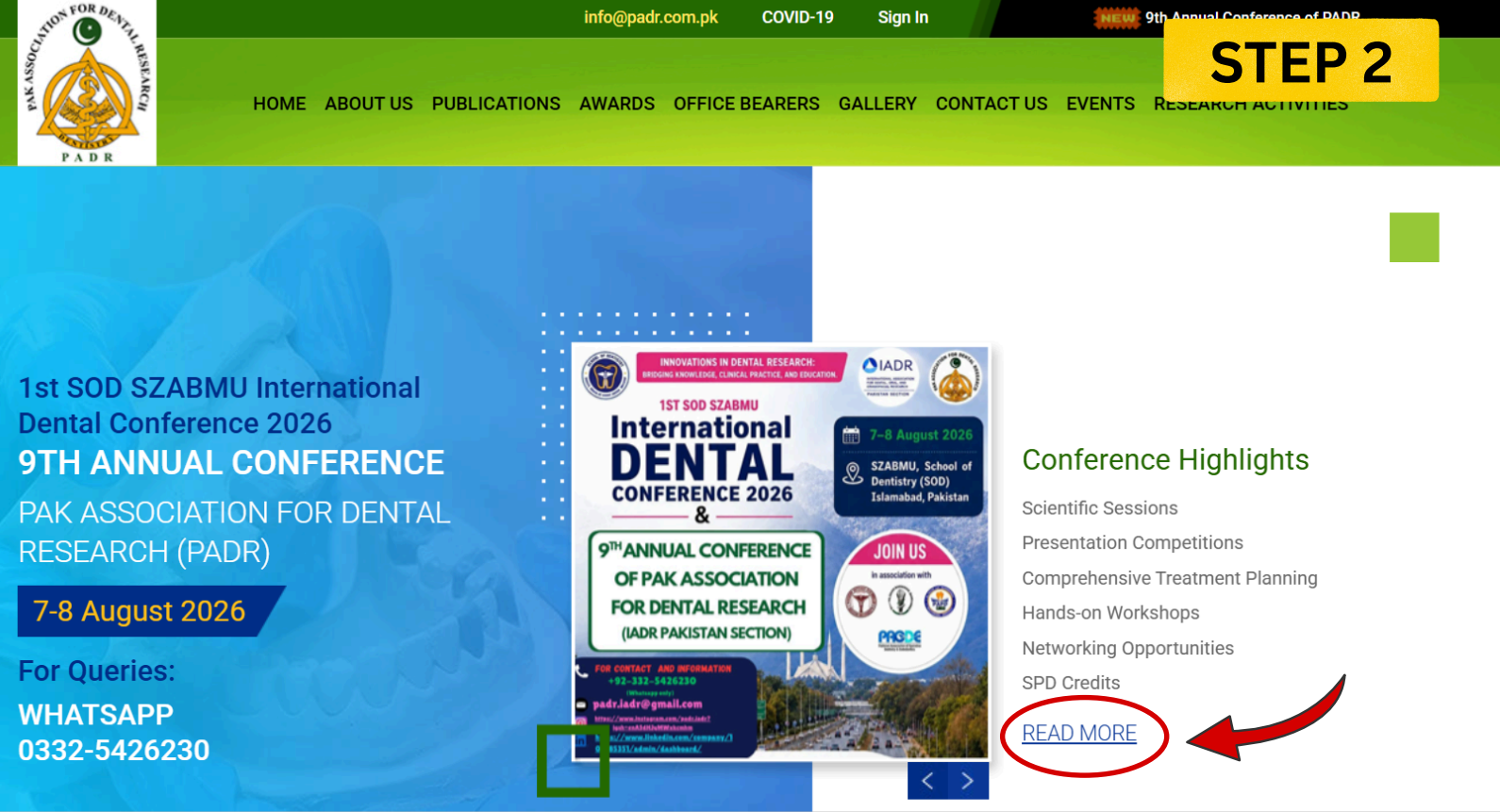
On the homepage, locate the active conference slider banner and click the "READ MORE" button.
Select Abstract Submission
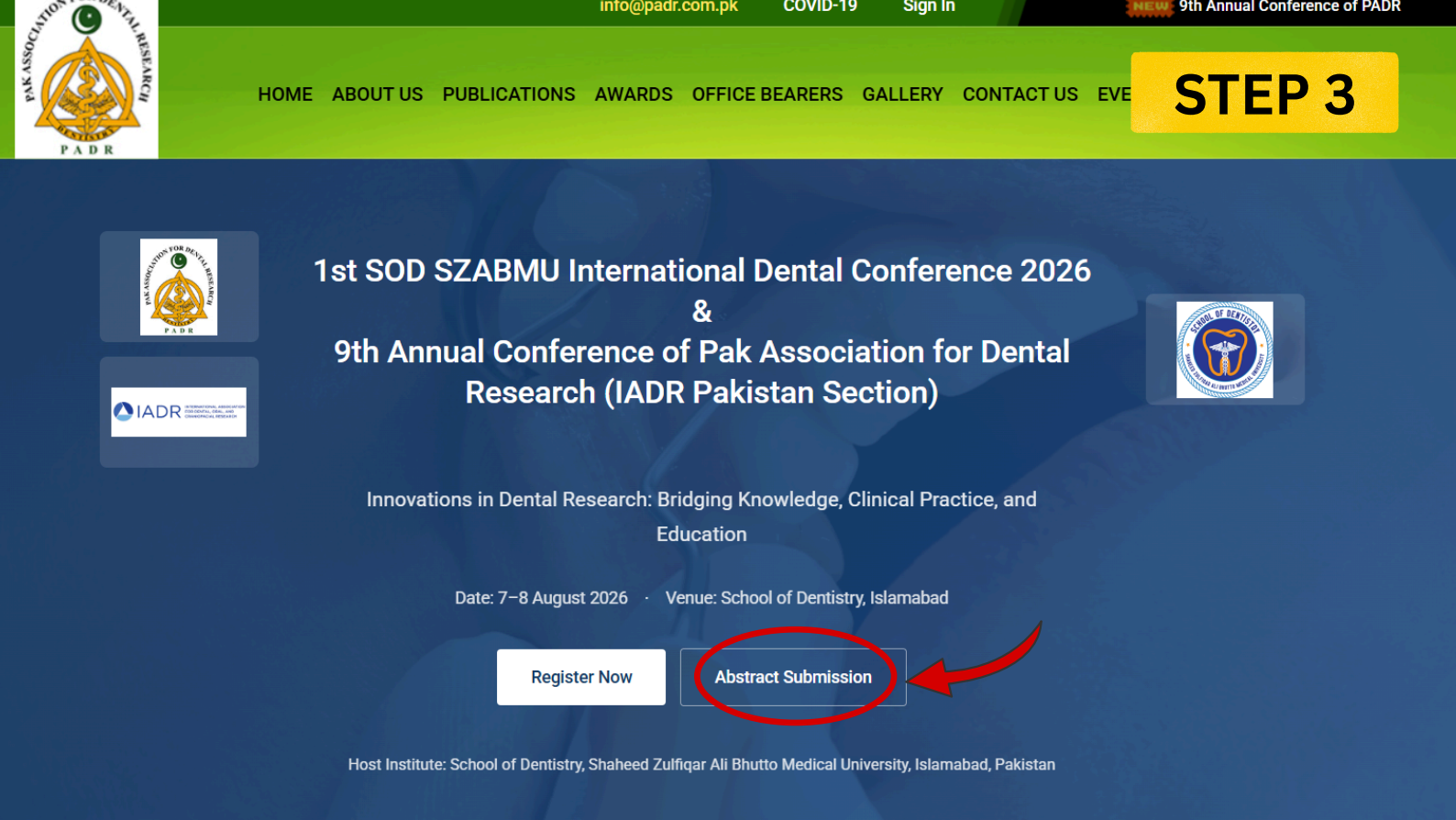
On the conference landing page, click on the **"Abstract Submission"** button to proceed to the dedicated instructions portal.
Choose Submission Method
Check the submission deadline. Click on **"Submit via IADR Portal"** if you are submitting an original study.
Login or Start Registration
If you already have an active profile, enter your credentials. Otherwise, select **"Don't have an account?"** to create an account free of charge.
Complete Account Credentials
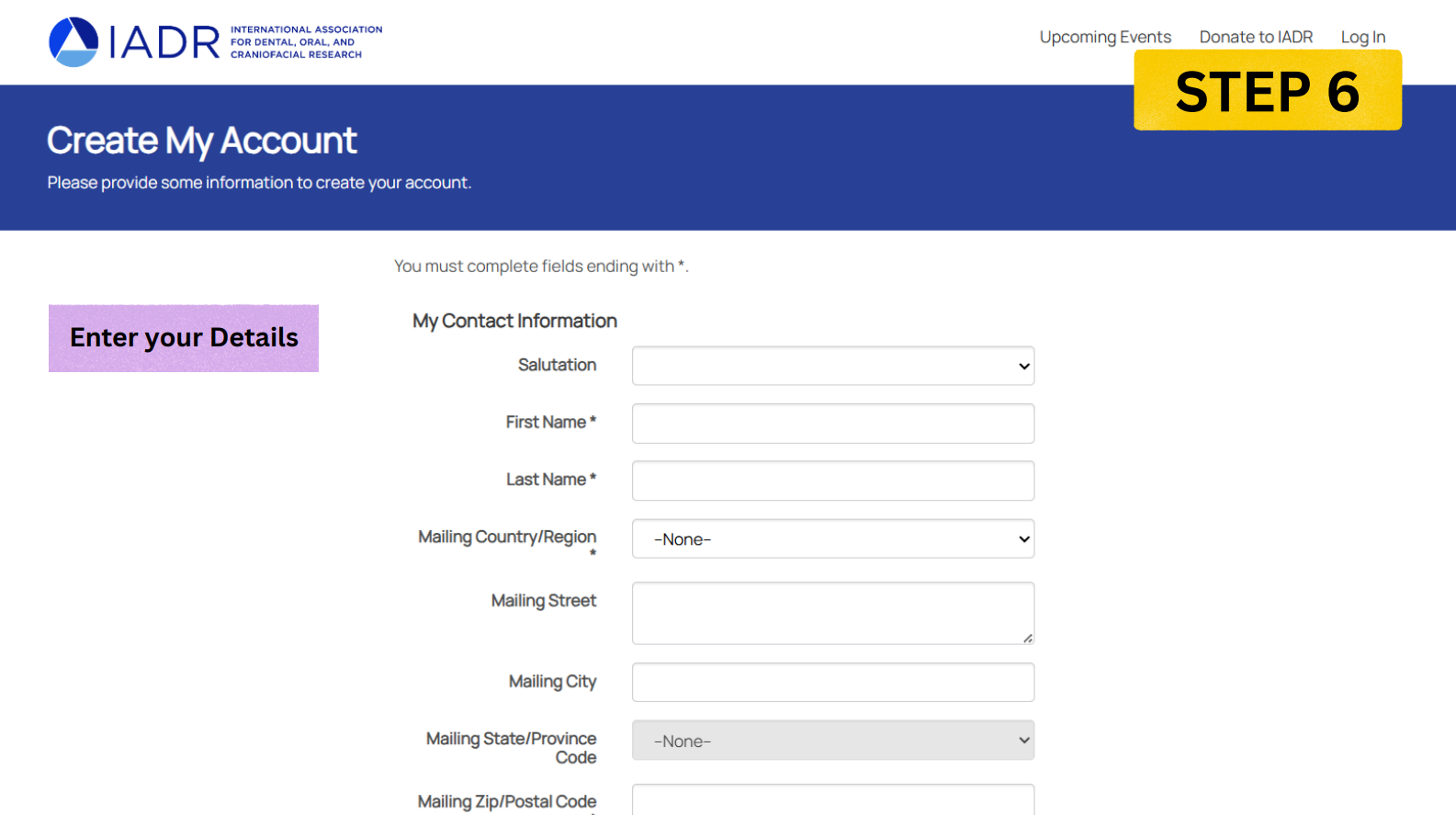
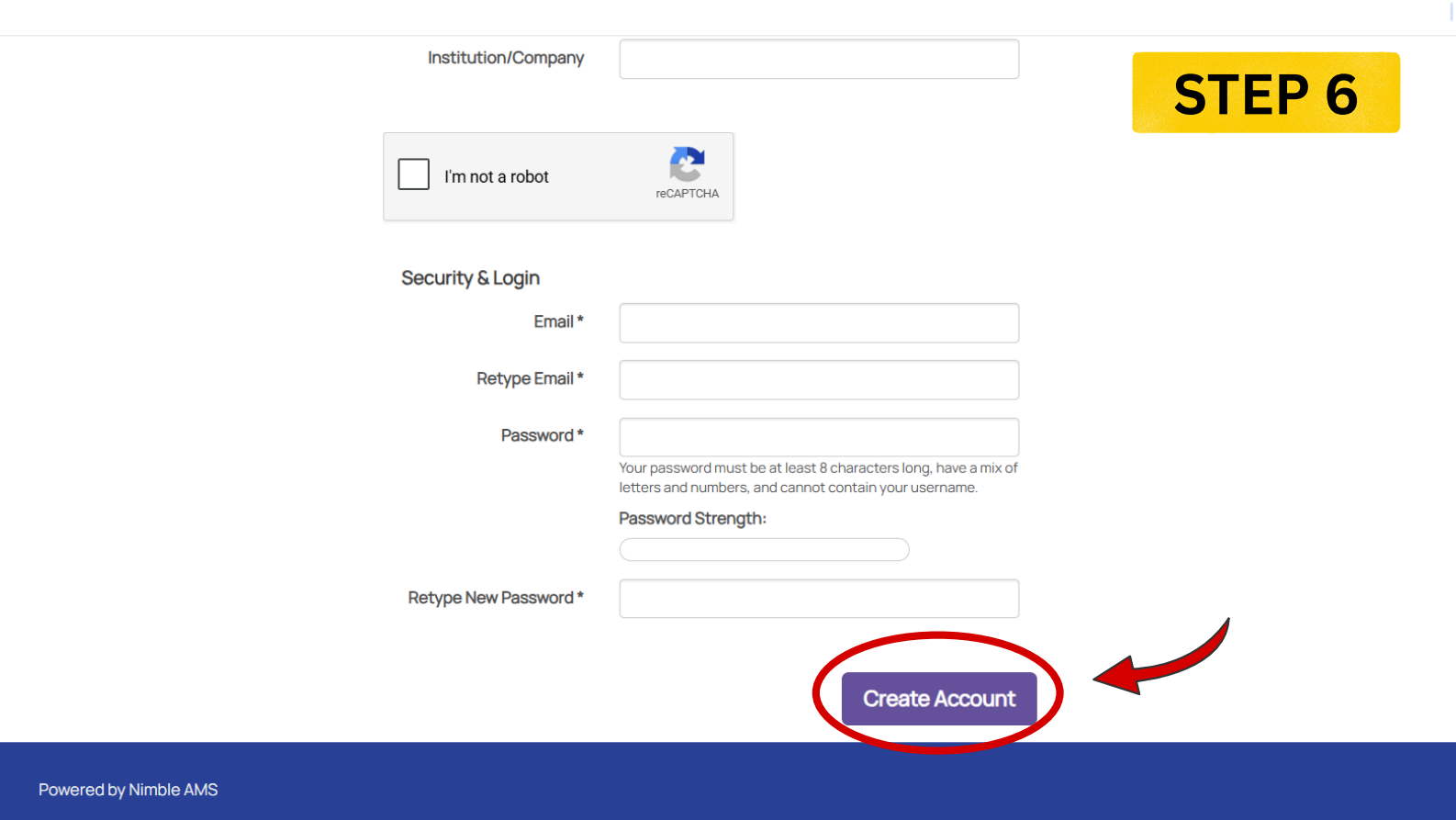
Fill out your profile details, contact information, email address, password configuration, and click **"Create Account"**.
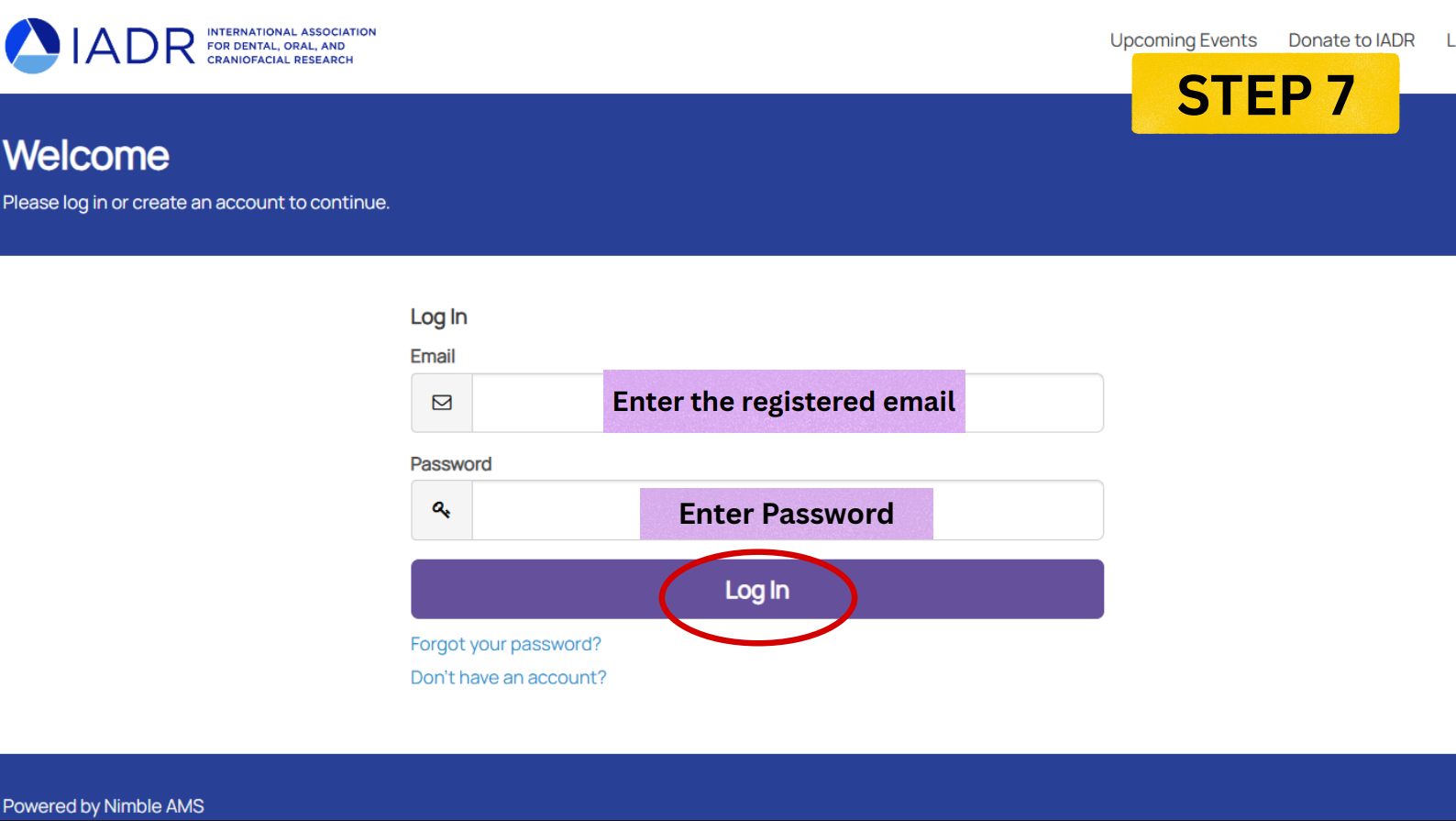
Log in to the Portal
Return to the portal login screen. Enter your registered email address and password, then click **"Log In"**.
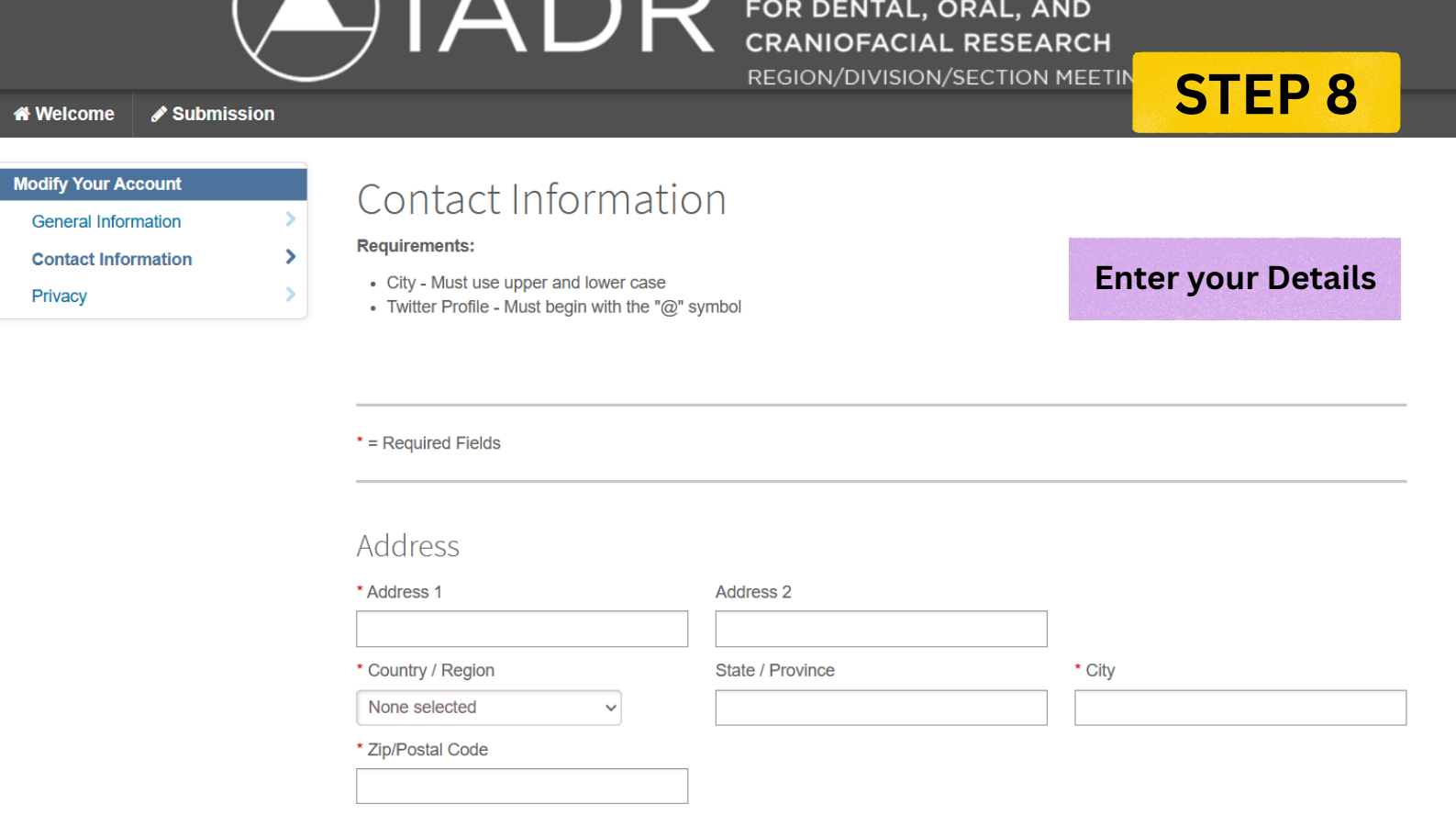
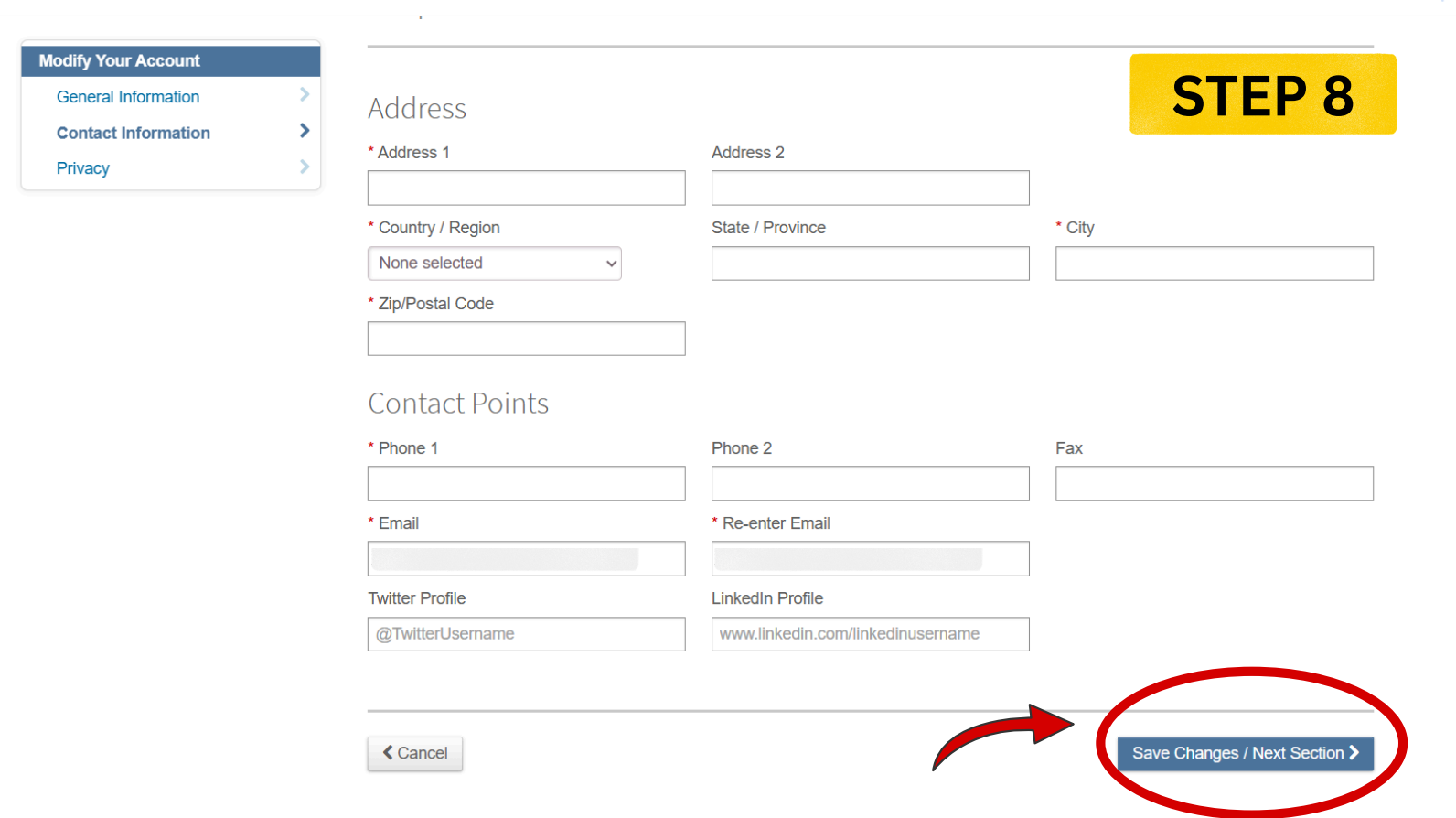
Input Address Information
Verify or fill in your complete postal address, city, country, phone, and optional professional profile links, and click **"Save Changes / Next Section"**.
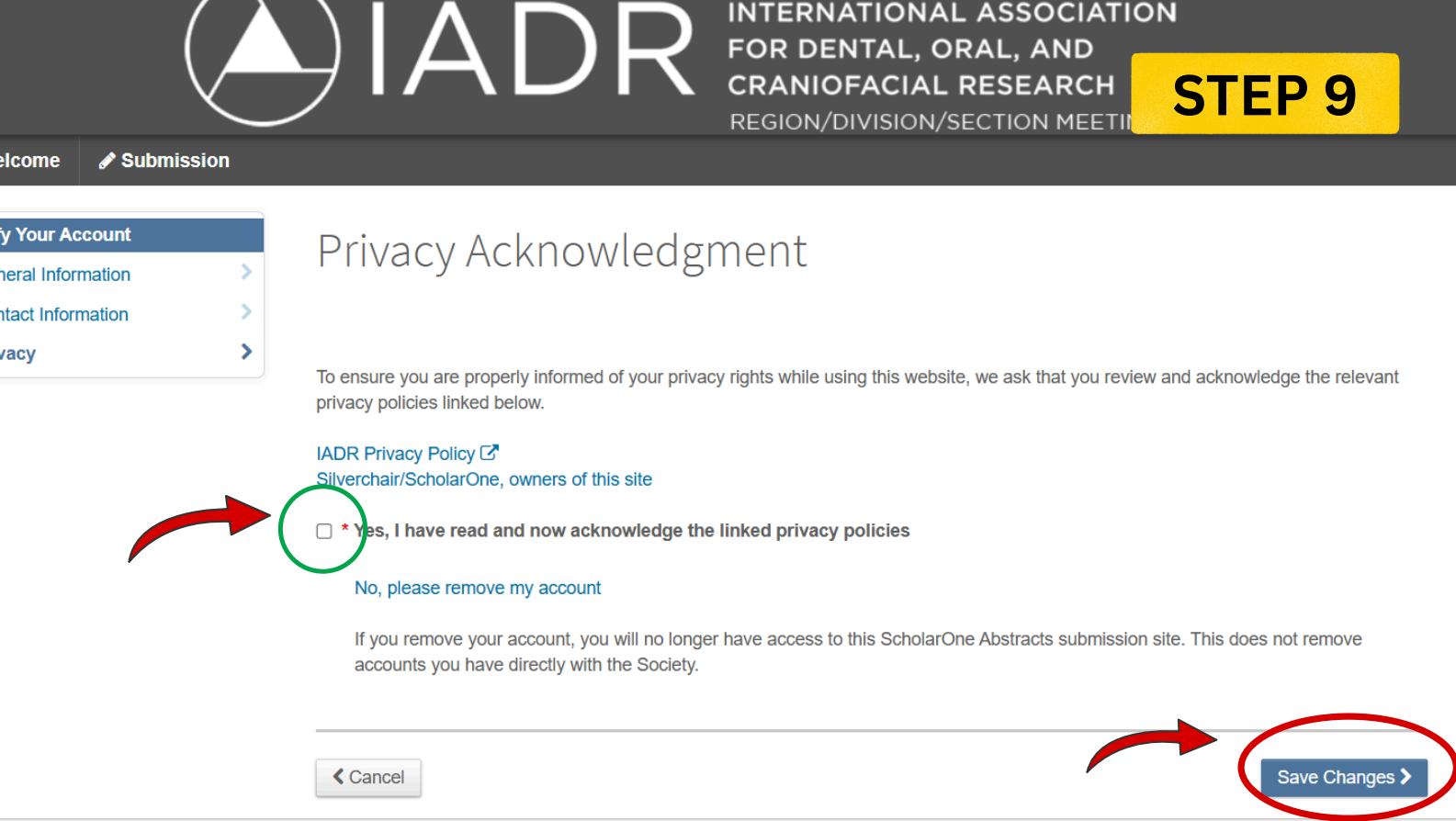
Acknowledge Privacy Policy
Tick the required checkbox to acknowledge the linked privacy policies, then select **"Save Changes"**.
Enter the Submission Portal
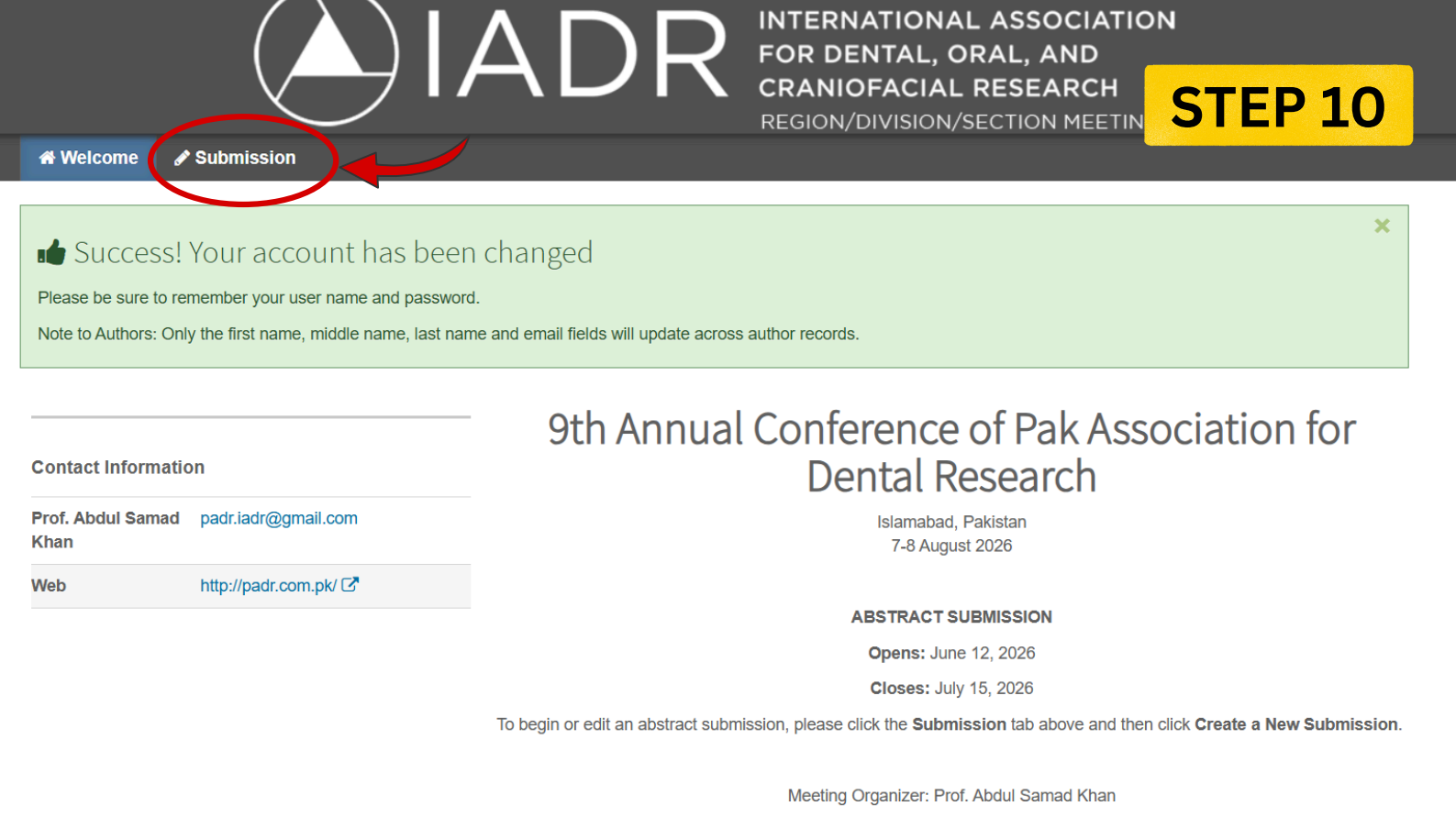
Confirm your profile setup is complete, then click the **"Submission"** tab in the top grey menu bar.
Create New Submission
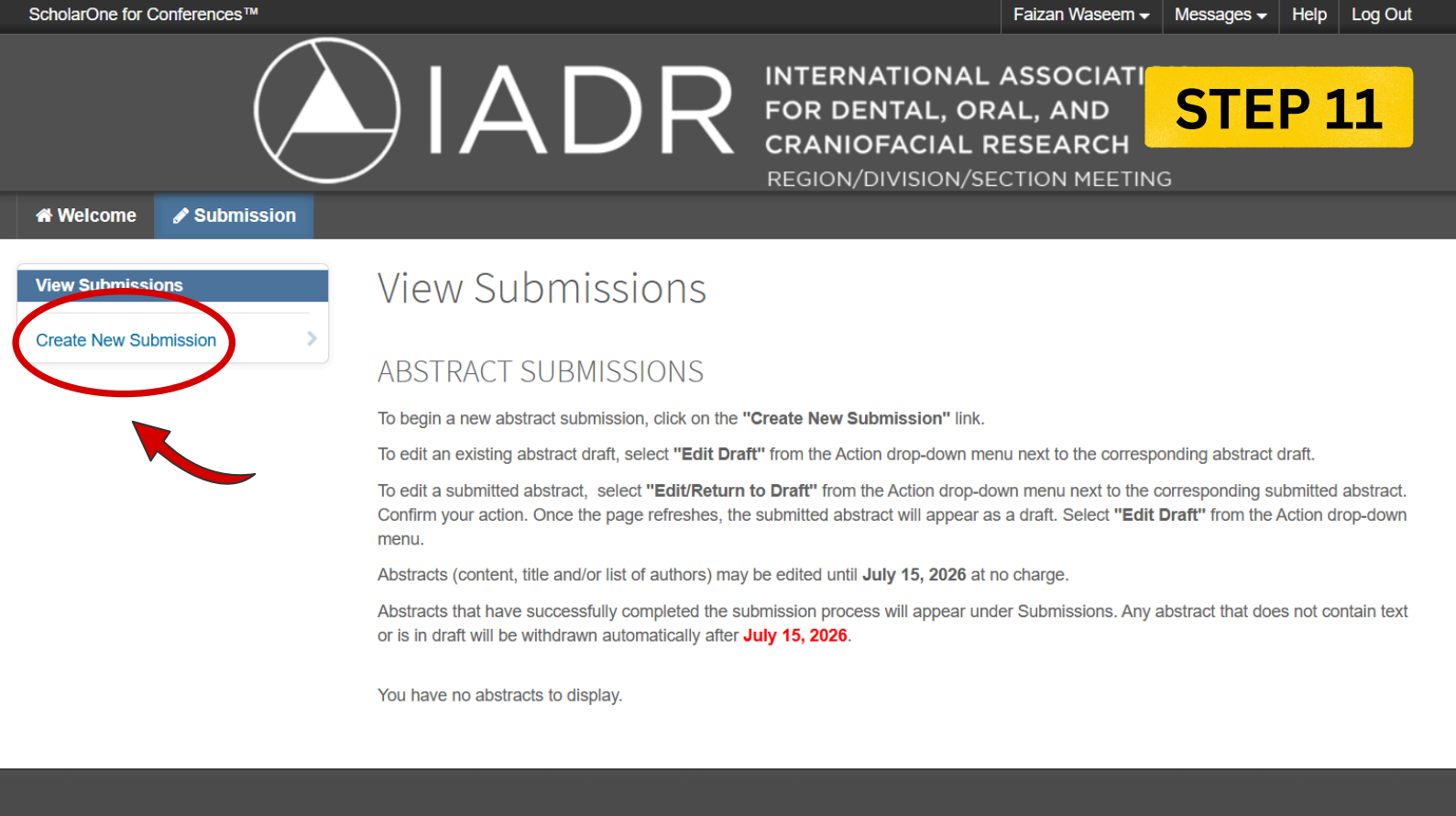
Click on the blue **"Create New Submission"** link in the left sidebar menu to start draft setup.
Input Title and Objectives
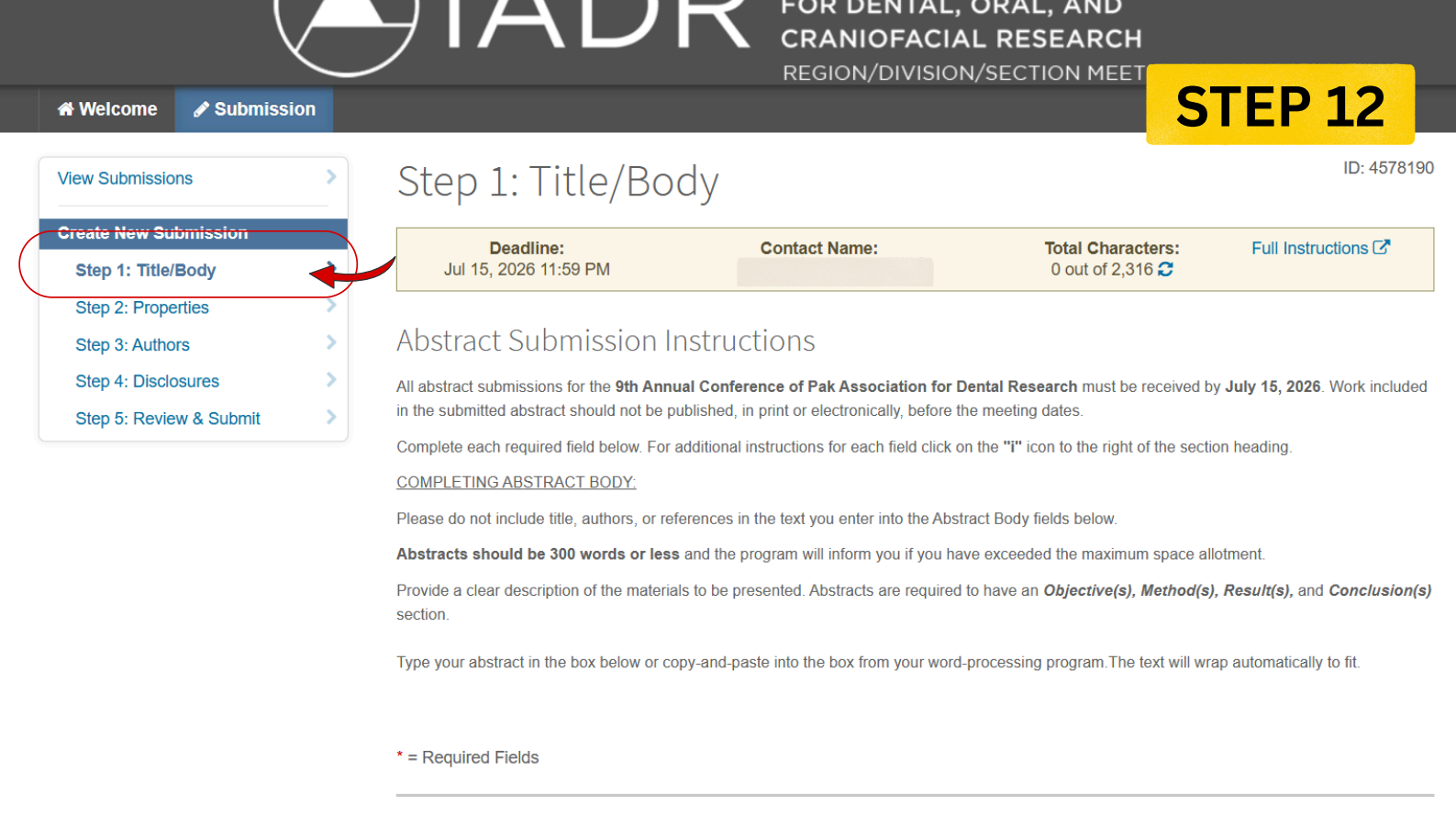
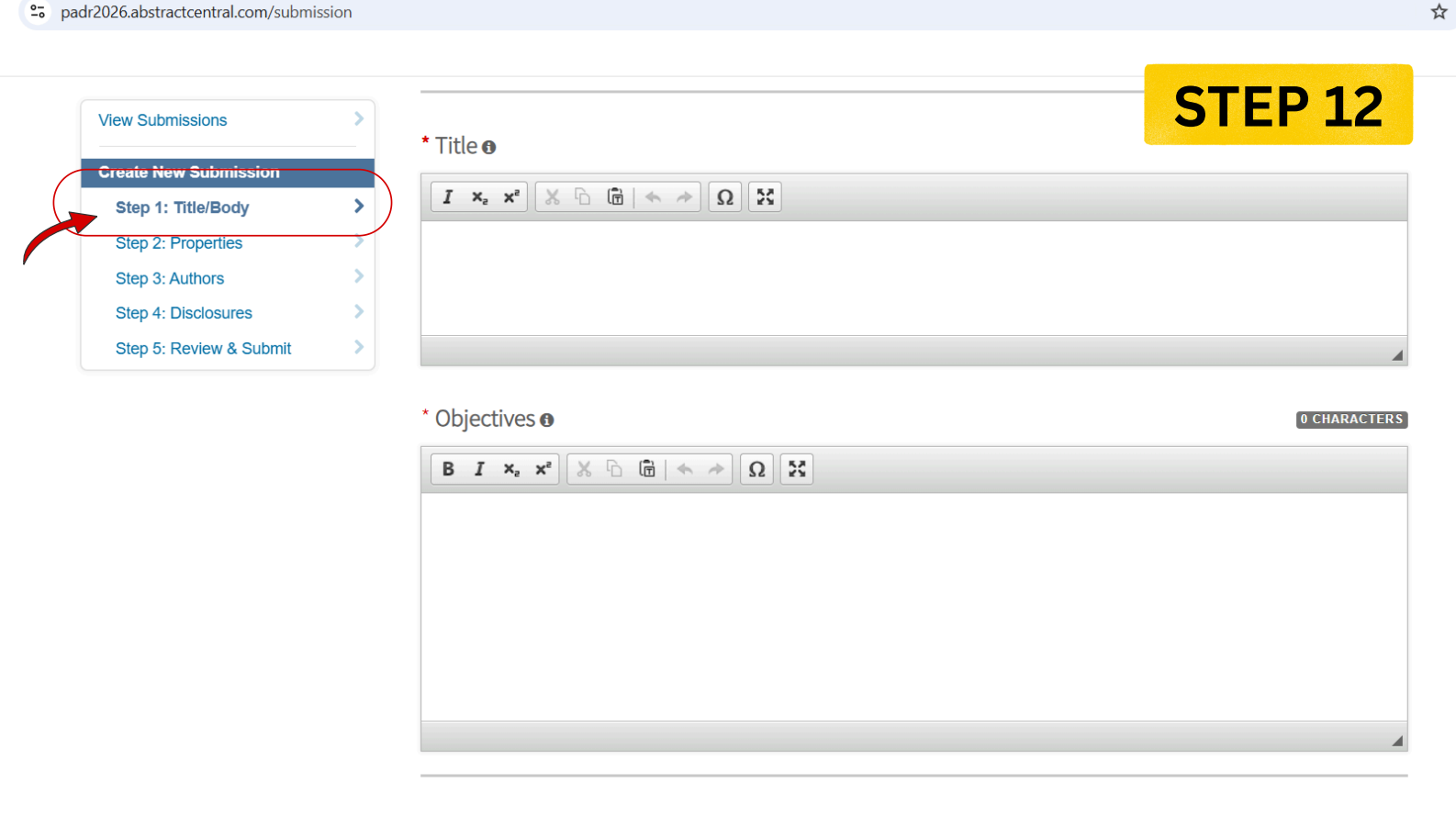
On Step 1 (Title/Body), write your paper title (max 10 words) and Objectives. Continue entering structured abstract sections (Objectives, Methods, Results, Conclusions) keeping under the 300-word limit.
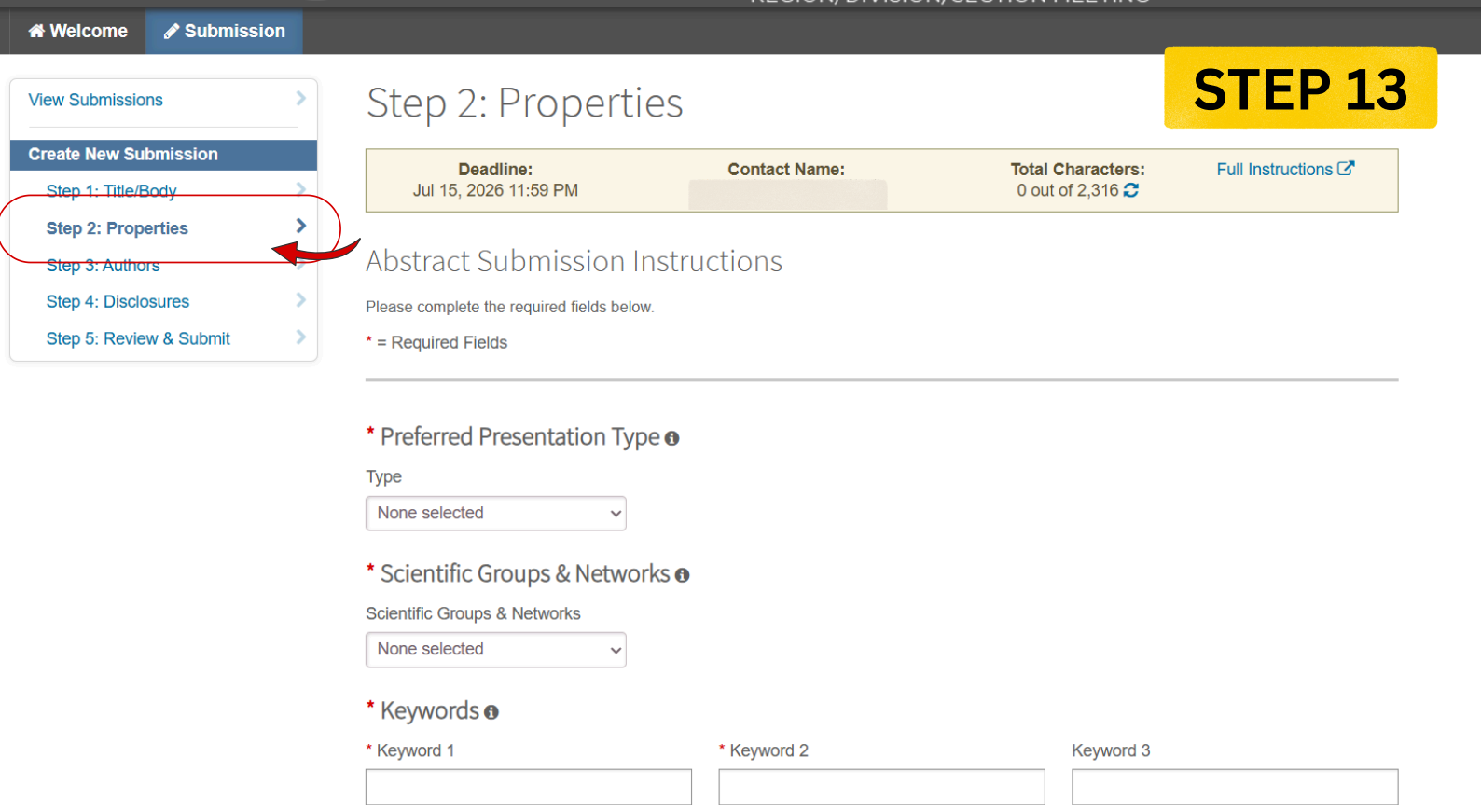
Set Submission Properties
Under Step 2 (Properties), specify your presentation preference format, appropriate Scientific Groups & Networks, and keyword metadata.
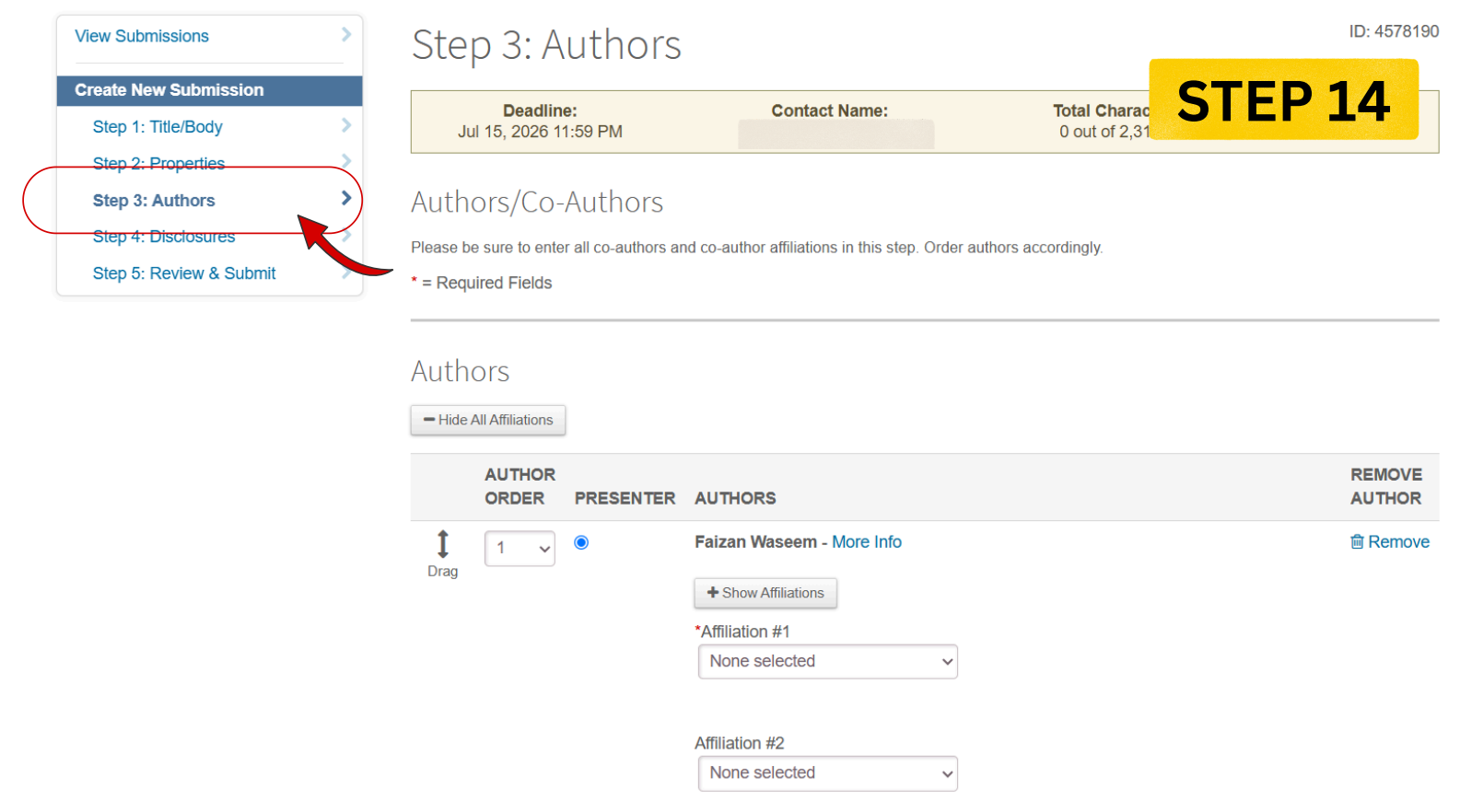
Assign Authors and Affiliations
Under Step 3 (Authors), designate your presenting author order and assign co-author institutional affiliations.
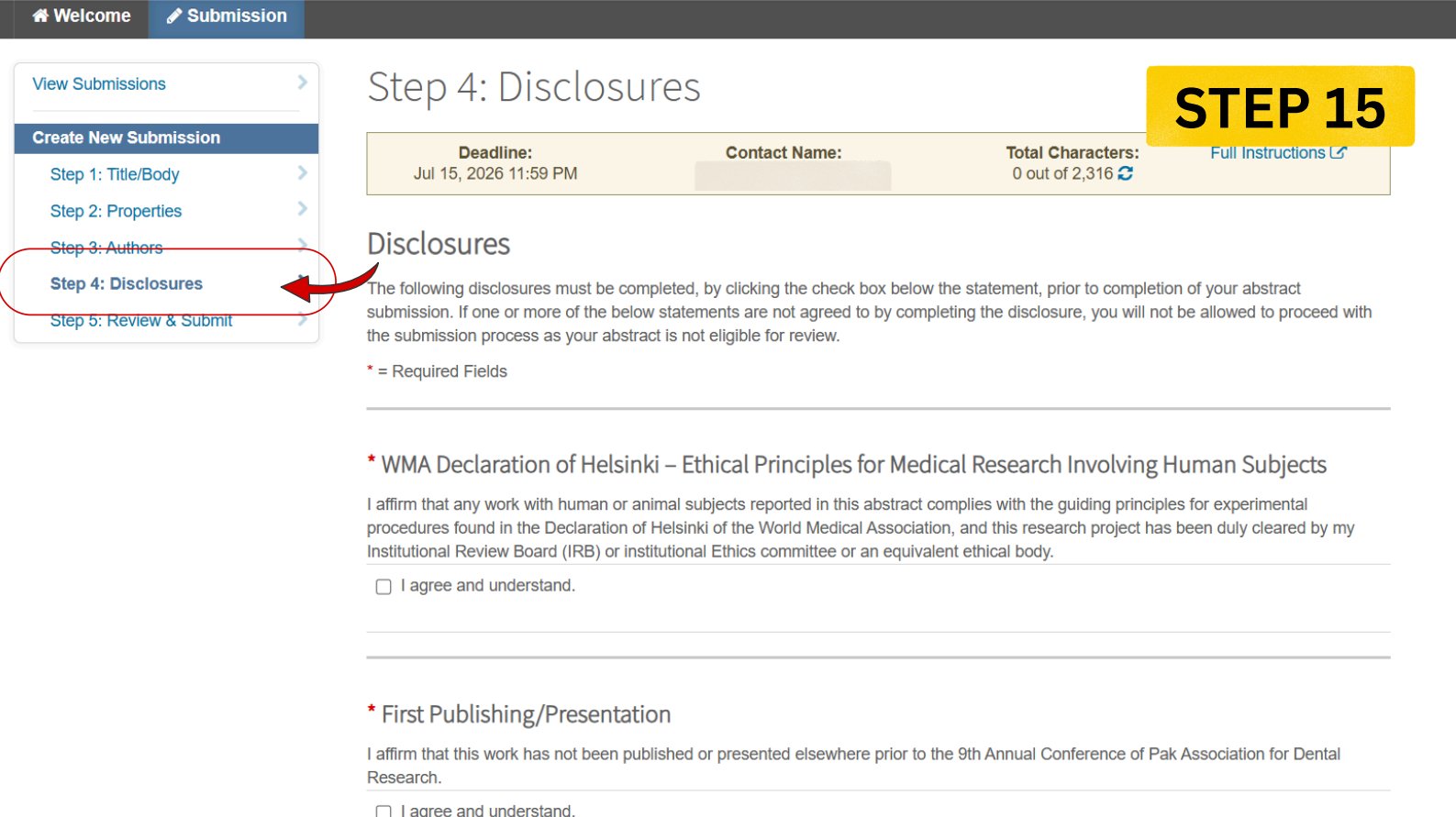
Submit Ethical Disclosures
Under Step 4 (Disclosures), accept compliance agreements regarding the Declaration of Helsinki, IRB authorizations, and originality claims.
Review & Finalize Submission
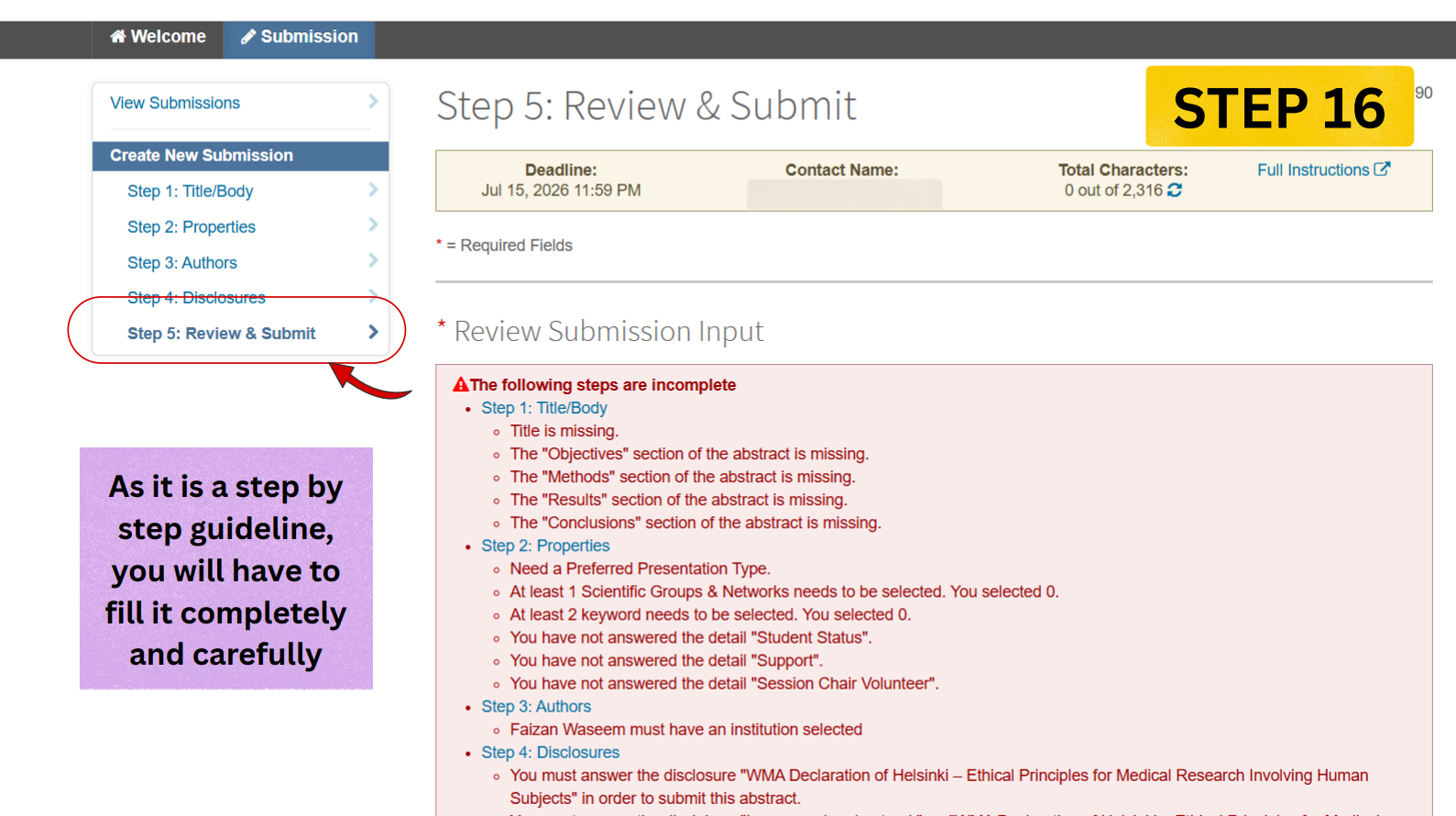
Review your entries under Step 5. Resolve any listed incomplete errors, verify details, and click **Submit** to finalize.